
On a Mac go to Chrome > Preferences >Show Advanced Settings > Clear browsing data...
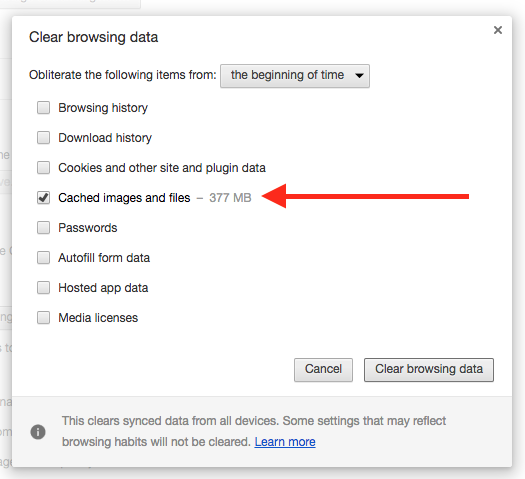
Check the box for Cached images and files (see below) and uncheck the others. Click Clear browsing data.
Return to your website and refresh the page. It will show you the latest version of that page.
0 Comments